Forgot the password of Tecno mobile T-series?learn how to restore TECNO T484 Keypad Mobile phones factory settings or get into a locked phone here.
Unlock SIM (PIN) -.05. and enter the PUK code and new PIN code twice Unlock SIM (PIN2) -.052. and enter the PUK2 code and new PIN2 code twice Call Forwarding (you have to order the service from the operator) ##002# - Cancel all diverts. Universal itel it2080 password? Forgot my password for the above phone is there any universal password I can use? I have tried: 0000 and 1234 tried recalling my password but in vain. I think it was caused by: changed it but unfortunately, I couldn't note somewhere.
There are plenty of ways to learn how to get into a locked Android phone. We will make you familiar with different ways to unlock a device without knowing its passcode. Albastuz3d.net provides a hassle-free solution to unlock or remove a device’s Pin, password, pattern security without losing your data or causing any harm to it. So if you’ve been trying your standard keypad mobile password unlocking method and it isn’t working, this could resolve it.
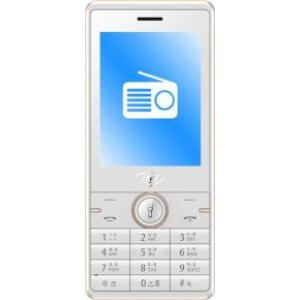
Hard Reset And Unlock All TECNO T484Featured Phones
Wondering how to factory reset TECNO T484? How to wipe all data in TECNO T484 ? How to bypass screen lock in TECNO T484? How to restore defaults in TECNO T484?
The following article shows all methods of master reset on TECNO T484. Check out how to accomplish factory reset by hardware keys ,Vendor settings and using tools. As a result your TECNO T484will be successfully unlocked.
1.First method:
This guide will help you easily regain access to your Mediatek Feature TECNO T484phone after forgetting your Unlock Code or Privacy Code.
If you’ve forgotten the password then you cannot be able to access the all the locked applications, the method below
helps you read the code without having to download and flash the firmware.
Requirements
• Download Miracle Box
• PC
• USB cord
• Manually Install Mediatek VCOM drivers
STEPS TO READ UNLOCK / PRIVACY LOCK CODE ON TECNO T484MTK FEATURE PHONES USING MIRACLE BOX
Follow the below steps to Read Unlock/Privacy Lock on MTK Feature Phones
1. Download and extract the content of the Miracle Box to your desktop. Open the folder and run “MIRACLE THUNDER 2.58 or 2.82 CRACK”
2. Click on the MTK tab
3. Click on Rd UnLock / IMEI then tick auto unlock

4. Click the dropdown box and select your chipset type MT**** , if you don’t know the chip type just leave it in 4th Boot(Auto Connect)
5. Click the Start Button
6. Connect the phone to the PC (must be switched off still with battery inside). For some phones, you will have to hold the Boot Key which could be Menu Button, Dial Button or Dial + Menu Button before connecting the phone.
7. If it is successfully connected, Miracle will scan and display the Unlock Code
in Red Color Text .
itel Phone Password Reset Code
How to reset ITEL Keypad Mobile Phones (Security Code to reset Factory Default)? How to wipe all data in ITEL Keypad Mobiles? Bypass screen lock in itel keypad mobiles? Restore defaults of itel keypad mobile phones. Here is the itel phone password reset code.
With this tutorials you will able to factory reset master reset of all keypad Mobile Phones.
Sometimes Keypad Phone will lock with security code, so we can not reset with defaults security codes.
Here is the solution
Go to your keypad phone.
Type *#0*# in mobile
It Show Reset Default Setting Click ok
all done
Now Default code is 1234